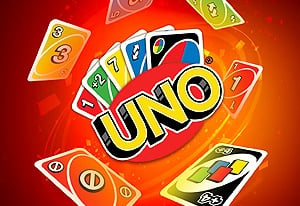
About the Game
UNO Online is the browser version of the legendary shedding card game: everyone gets seven cards, and the first player to run out wins the round. On your turn you play a card matching the last one on the table by color or by number — or burn a special card to punish the table.
The special cards are where the fun lives: +2 and +3 cards force the next player to draw and skip their turn, the Reverse card flips the direction of play, the Skip card freezes the next player, and the Wild card lets you choose the color everyone must then match. Forget to press the UNO button when you're down to your last card and you're penalized with two extra cards. When a round ends, the winner scores the value of everyone else's leftover cards; first to 250 points wins the game.
Game Features
- vs the computer or other players. The official page lists modes against the AI and against other people, with the traditional rules intact.
- Action cards that swing rounds. +2, +3, Reverse, Skip, and Wild cards — the listing even details which ones can be countered.
- The UNO button. Hit it the moment you play your second-to-last card, or eat a two-card penalty.
- A 250-point match. Rounds feed a running score, so comebacks across hands are always live.
- A real card-game pedigree. The listing traces the game back to "Ochos locos" and Merle Robbins' 1971 original.
Controls & Setup
- Press Play Online to deal in right on this page, or open the official UNO Online page on Miniplay as a backup.
- Play a card: click (or tap) a card in your hand that matches the table card's color or number.
- No match? Draw from the deck — if the drawn card doesn't match the previous card in color, number, or type, your turn ends.
- Call UNO: press the UNO button as soon as you're down to one card.
- Win the match: empty your hand to score the table's remaining cards; 250 points ends the game.